
Dots Calculator – Count Dots Quickly

:root{ –brand:#1CB394; –bg:#F8FAFC; –card:#FFFFFF; –text:#0F172A; –muted:#475569; –border:#E2E8F0; –shadow:0 18px 40px rgba(15,23,42,0.08); –radius:18px; } .dots *{box-sizing:border-box;font-family:inherit} .dots{ max-width:980px;margin:0 auto;background:var(–bg); border:1px solid var(–border);border-radius:var(–radius); padding:18px;box-shadow:var(–shadow); } .dots-head{ background:linear-gradient(135deg, rgba(28,179,148,.14), rgba(28,179,148,.03)); border:1px solid var(–border);border-radius:16px;padding:16px; } .dots-head h2{margin:0;font-size:20px;color:var(–text)} .dots-head p{margin:8px 0 0;color:var(–muted);font-size:14px;line-height:1.6} .dots-grid{display:grid;grid-template-columns:1fr 1fr;gap:14px;margin-top:14px} .dots-card{background:var(–card);border:1px solid var(–border);border-radius:16px;padding:16px} .dots-card h3{margin:0 0 10px;font-size:15px;color:var(–text)} .dots-row{display:grid;grid-template-columns:1fr 1fr;gap:10px} .dots-field label{display:block;font-size:12px;color:#64748B;margin:10px 0 6px} .dots-field input,.dots-field select{ width:100%;padding:12px;border-radius:12px;border:1px solid var(–border); font-size:14px;outline:none;background:#fff;color:var(–text); } .dots-field input:focus,.dots-field select:focus{border-color:var(–brand)} .dots-help{font-size:12px;color:#64748B;margin-top:6px;line-height:1.45} .dots-actions{display:flex;gap:10px;flex-wrap:wrap;margin-top:14px} .dots-btn{ padding:12px 14px;border-radius:12px;font-weight:900;font-size:14px;cursor:pointer; border:1px solid var(–border);background:#fff;color:var(–text); } .dots-btn.primary{ border:0;color:#fff;background:linear-gradient(135deg,var(–brand),#17a889); box-shadow:0 16px 28px rgba(28,179,148,0.22); } .dots-warn{ display:none;margin-top:10px;padding:10px 12px;border-radius:12px; background:#FFF7ED;border:1px solid #FED7AA;color:#9A3412;font-size:13px;line-height:1.5; } .dots-kpis{display:grid;grid-template-columns:repeat(3,1fr);gap:10px;margin-top:10px} .dots-kpi{background:#F8FAFC;border:1px solid var(–border);border-radius:14px;padding:12px} .dots-kpi b{display:block;font-size:12px;color:#64748B} .dots-kpi span{display:block;margin-top:6px;font-size:15px;font-weight:950;color:var(–text)} .dots-note{margin-top:10px;color:#64748B;font-size:12px;line-height:1.6;border-top:1px dashed var(–border);padding-top:10px} @media(max-width:900px){.dots-grid{grid-template-columns:1fr}.dots-kpis{grid-template-columns:1fr}}

DOTS Calculator

Calculate your DOTS score for powerlifting using bodyweight and total (squat + bench + deadlift). Choose units (lb/kg) and sex for accurate scoring.

Inputs

Male Female
Pounds (lb) Kilograms (kg)
USA lifters usually use lb. DOTS is calculated in kg internally.
Enter your bodyweight in selected units.
Enter your meet total in selected units.
DOTS uses a coefficient based on bodyweight. This tool converts lb → kg automatically when needed.

Results

Bodyweight (kg)
Total (kg)
DOTS Score
Enter your details and click Calculate.
(function(){ const root = document.getElementById(‘DOTSCalc_US_v1’); if(!root) return; const sexEl = root.querySelector(‘#sex’); const unitsEl = root.querySelector(‘#units’); const bwEl = root.querySelector(‘#bw’); const totalEl = root.querySelector(‘#total’); const warn = root.querySelector(‘#warn’); const bwKgOut = root.querySelector(‘#bwKgOut’); const totalKgOut = root.querySelector(‘#totalKgOut’); const dotsOut = root.querySelector(‘#dotsOut’); const resultNote = root.querySelector(‘#resultNote’); function showWarn(msg){ warn.style.display = msg ? ‘block’ : ‘none’; warn.textContent = msg || ”; } function lbToKg(x){ return x * 0.45359237; } // DOTS coefficient polynomials (standard DOTS 2019+) // Coefficient = 500 / (a + b*w + c*w^2 + d*w^3 + e*w^4 + f*w^5) // DOTS score = coefficient * total_kg function dotsCoeffMale(w){ const a = -307.75076; const b = 24.0900756; const c = -0.1918759221; const d = 0.0007391293; const e = -0.000001093; const f = 0.0000000000; // negligible in many implementations const denom = a + b*w + c*w*w + d*w*w*w + e*w*w*w*w + f*w*w*w*w*w; return 500 / denom; } function dotsCoeffFemale(w){ const a = -57.96288; const b = 13.6175032; const c = -0.1126655495; const d = 0.0005158568; const e = -0.0000010706; const f = 0.0000000000; const denom = a + b*w + c*w*w + d*w*w*w + e*w*w*w*w + f*w*w*w*w*w; return 500 / denom; } function calc(){ const units = unitsEl.value; const sex = sexEl.value; let bw = Number(bwEl.value); let total = Number(totalEl.value); if(!isFinite(bw) || !isFinite(total)){ showWarn(‘Please enter valid numbers for bodyweight and total.’); return; } if(bw <= 0 || total <= 0){ showWarn('Bodyweight and total must be greater than zero.'); return; } // Convert to kg const bwKg = (units === 'lb') ? lbToKg(bw) : bw; const totalKg = (units === 'lb') ? lbToKg(total) : total; // Reasonable ranges (soft validation) if(bwKg 250){ showWarn(‘Bodyweight looks unusual. Please check your units.’); // not returning; still compute } else { showWarn(”); } const coeff = (sex === ‘male’) ? dotsCoeffMale(bwKg) : dotsCoeffFemale(bwKg); const score = coeff * totalKg; bwKgOut.textContent = bwKg.toFixed(2); totalKgOut.textContent = totalKg.toFixed(2); dotsOut.textContent = score.toFixed(2); resultNote.textContent = ‘DOTS Score is calculated using a bodyweight-based coefficient and your total (in kilograms).’; } function reset(){ sexEl.value = ‘male’; unitsEl.value = ‘lb’; bwEl.value = 198; totalEl.value = 1200; bwKgOut.textContent = ‘—’; totalKgOut.textContent = ‘—’; dotsOut.textContent = ‘—’; resultNote.textContent = ‘Enter your details and click Calculate.’; showWarn(”); } root.querySelector(‘#calcBtn’).addEventListener(‘click’, calc); root.querySelector(‘#resetBtn’).addEventListener(‘click’, reset); })();

Our dots calculator helps you quickly count and calculate the total number of dots without manual effort. Whether you are working with patterns, images, learning activities, or visual data, this dots calculator provides instant and accurate results.

Simply enter the required values or information, and the tool will calculate the total dots for you within seconds.
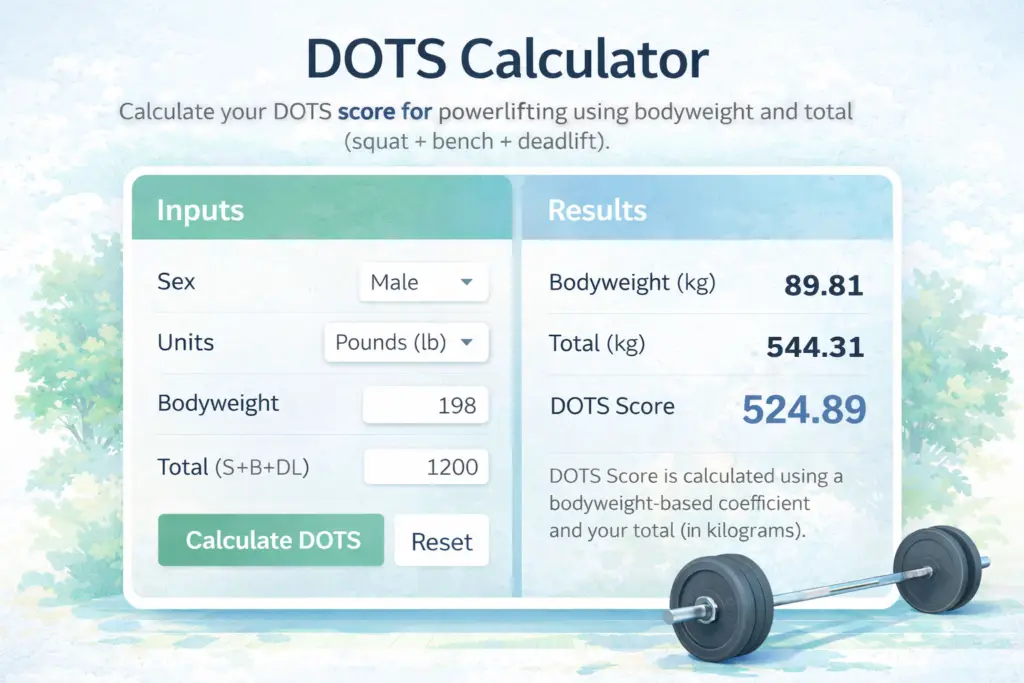
How the Dots Calculator Works

Using this calculator is simple and fast:

  1. Enter the number of rows or groups of dots
  2. Enter the number of dots in each row or group
  3. Instantly calculate the total number of dots

The tool automatically processes the data and provides accurate results in just one click.

Why Use Our Calculator?

  • Fast and accurate dot counting
  • Saves time compared to manual counting
  • Easy to use for students and professionals
  • Works instantly with simple inputs
  • Completely free online tool

Who Can Use This Calculator?

This calculator is useful for:

  • Students learning counting and math concepts
  • Teachers creating educational activities
  • Designers working with dot patterns
  • Anyone who needs quick dot calculations

Stop counting manually and use our dots calculator to get fast, reliable results every time.

What is a dots calculator?

A u003cstrongu003ecalculatoru003c/strongu003e is an online tool that helps calculate the total number of dots based on rows, groups, or patterns.

Is this calculator free?

Yes, our calculator is completely free and can be used anytime without registration.

Who can use a dots calculator?

Students, u003ca href=u0022https://odphp.health.gov/our-work/nutrition-physical-activity/physical-activity-guidelinesu0022u003eteachersu003c/au003e, designers, and anyone who needs to count dots quickly can use this dots calculator.

Why should I use a calculator?

Using a u003cstrongu003ecalculatoru003c/strongu003e saves time, reduces counting errors, and provides instant results.

Leave a Comment